I've Seen This Movie Before
From Visual Basic and Delphi to AI coding agents: the promise of effortless software sounds familiar — and the strange paradox of what happens to us when everything becomes easy.
The Future Looked Familiar
Imagine being a software developer in 1995.
You sit in front of a bulky CRT monitor. Your computer has a fraction of the processing power of today’s smartphone. The internet is not yet something you can casually consult whenever you encounter a problem.
And yet, something extraordinary is happening.
You drag a button onto a window, double-click it, write a few lines of code, and suddenly you have a working graphical application.
No need to implement the entire interface from scratch. No need to manage every detail of drawing a button or processing a mouse click.
The development environment handles much of that work for you.
It feels revolutionary.
Now imagine being a developer in 2026.
You open an AI coding assistant and type:
“Build a dashboard with user authentication, a PostgreSQL database, and a REST API.”
A few moments later, code begins appearing. Components, routes, database models, tests, perhaps even a deployment configuration.
It feels revolutionary.
And looking at these two moments, separated by more than three decades, I cannot help thinking:
I’ve seen this movie before.
Not because AI and Rapid Application Development are the same technology. They are not.
But because the promise sounds remarkably familiar.
Build more. Write less. Move faster. Let the tools handle the complexity.
We have heard that promise before.
What interests me most, however, is not how much easier software development has become.
It is what happens to us when doing things becomes almost effortless.
1. Before AI, There Was Visual Basic
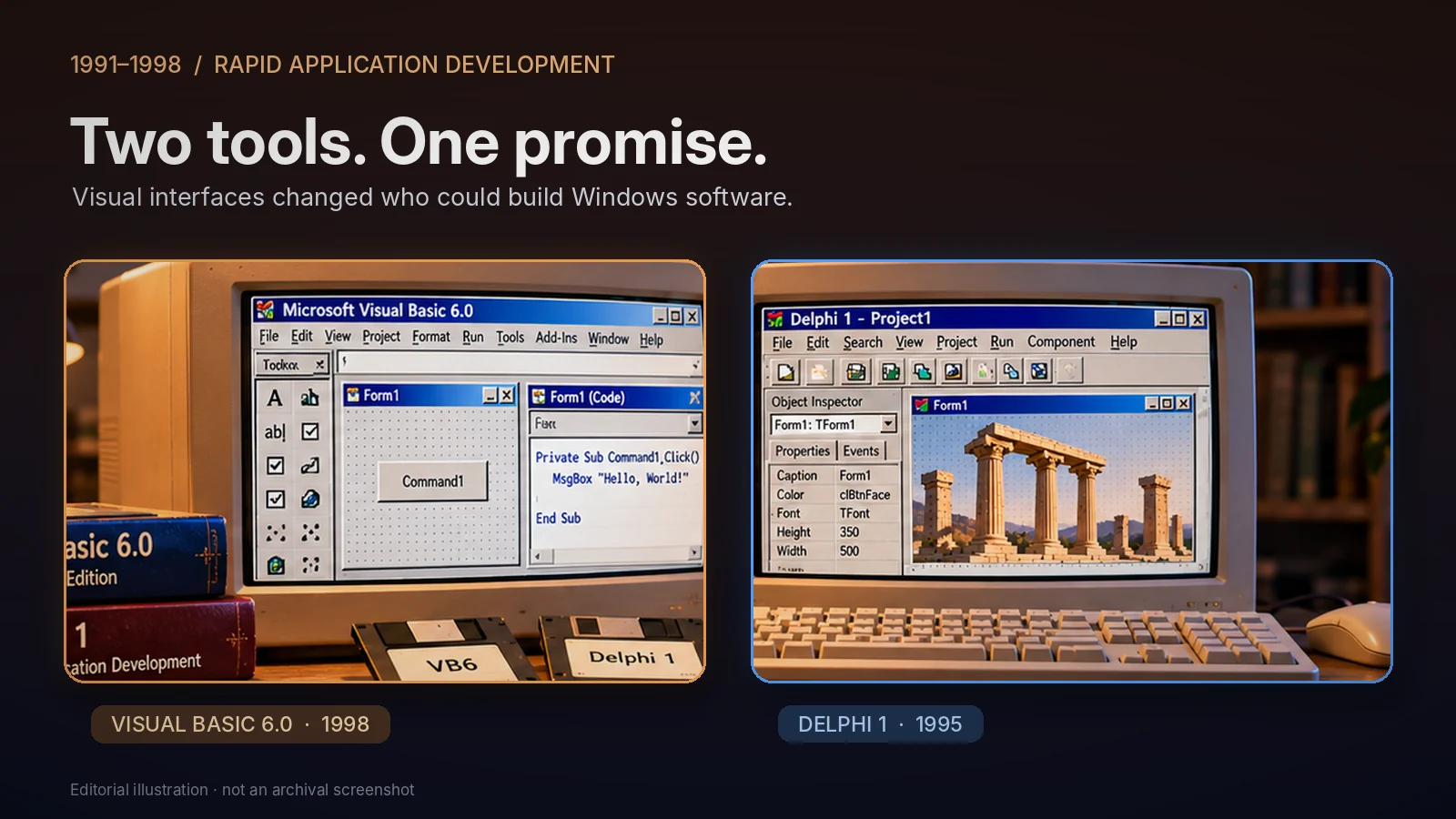
In May 1991, Microsoft announced Visual Basic for Windows.
To someone learning programming today, the idea of placing a button on a form may seem completely ordinary.
At the time, it was a major shift.
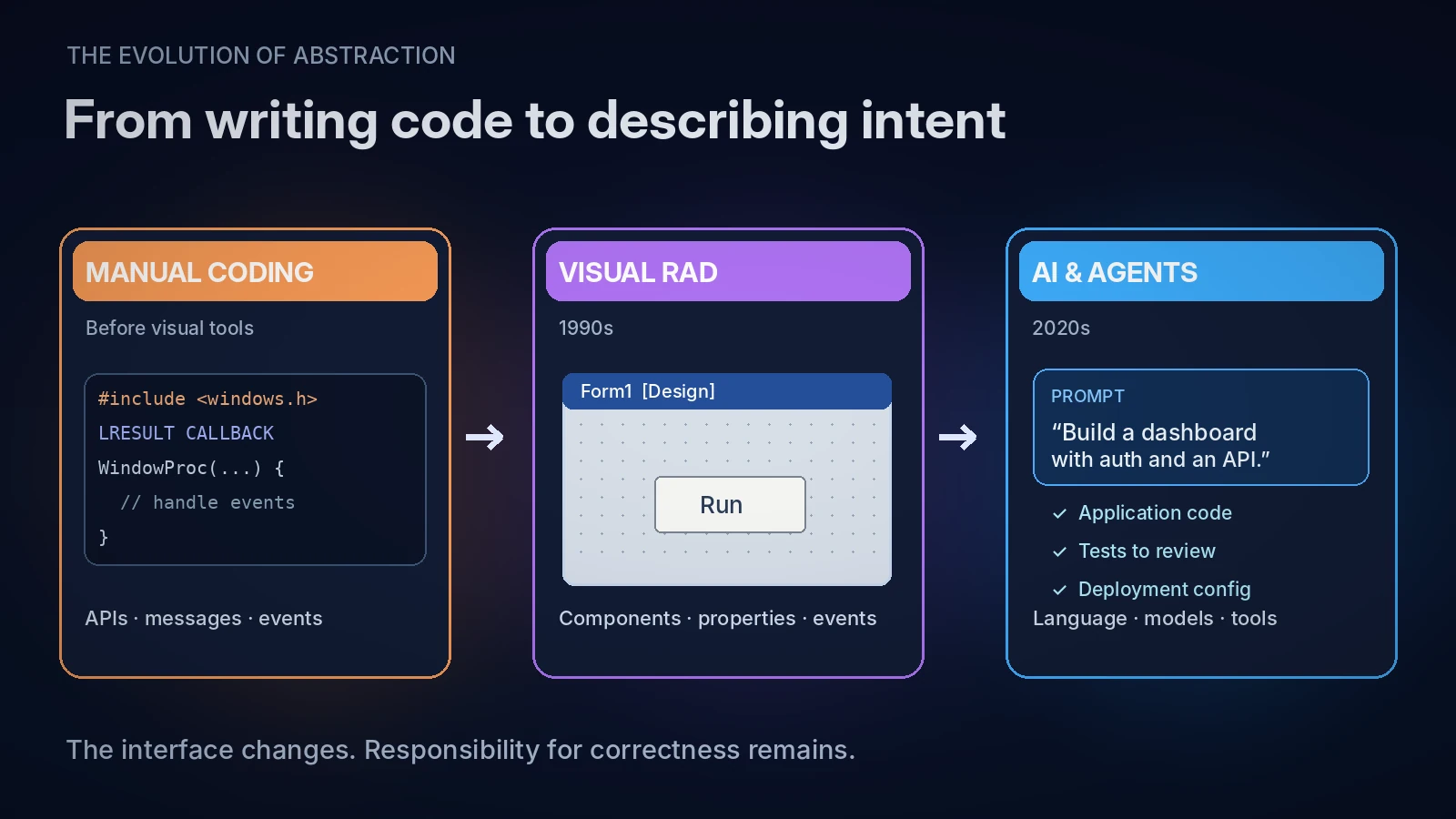
Traditional Windows application development could demand substantial knowledge of the operating system’s APIs, message handling, resources, and application structure.
Visual Basic offered a different experience.
You could draw the interface, arrange controls visually, set their properties, and write code in response to events.
A button could have a simple event handler:
Private Sub Command1_Click()
    MsgBox "Hello, World!"
End Sub
That was enough to create visible behavior.
Visual Basic did not eliminate programming. It changed where developers spent their effort.
Instead of manually implementing so much of the interface infrastructure, developers could concentrate on the application itself.
This was a powerful idea.
It also changed who could build software.
Small businesses, students, hobbyists, and professional developers could create useful Windows applications without approaching every problem as a low-level systems programming exercise.
The barrier to entry became lower.
And lowering barriers is one of the genuinely valuable things technology can do.
Visual Basic 6.0, announced in 1998, further developed this approach with richer database integration, components, and enterprise application capabilities.
But the essential idea was visible from the beginning:
The less machinery a developer must construct, the more directly an idea can become an application.
Sound familiar?
2. Then Delphi Arrived
On February 14, 1995, Borland released Delphi 1.
Delphi brought together visual component-based application development, Object Pascal, an extensible Visual Component Library (VCL), database tooling, and a native-code compiler.
An important historical detail: Delphi 1 targeted 16-bit Windows 3.1 applications. Delphi 2 brought 32-bit Windows 95 support in 1996.
Delphi was attractive because it combined visual development with a programming environment capable of expressing serious application logic.
You could build an interface rapidly, but you could also design classes, control object lifetimes, work with databases, and create sophisticated applications.
For example, a Delphi button could be connected to an event handler like this:
procedure TForm1.Button1Click(Sender: TObject);
begin
  ShowMessage('Hello, World!');
end;
Visually, the experience was simple.
Behind that simplicity, however, there was a substantial software system.
Components had lifetimes. Events had execution paths. Applications depended on operating-system behavior, libraries, databases, and deployment environments.
The developer did not have to write all that machinery.
But understanding enough of it still mattered.
That distinction would become increasingly important.
Visual Basic and Delphi were not identical tools, nor did they make identical technical trade-offs.
They did, however, share a fundamental ambition: reduce the distance between an idea and a working application.
And they succeeded.
3. The Part That Never Became Easy
There is something the graphical development revolution did not solve.
You could create a beautiful form in minutes.
But what happened when two users tried to update the same database record?
What happened when a network connection failed halfway through a transaction?
What happened when an application appeared to work correctly for a thousand users but failed under an unusual combination of events?
A visual development environment could make constructing the application easier.
It could not make those underlying questions disappear.
The same was true of later frameworks, code generators, package managers, and cloud platforms.
Each generation automated another layer.
Yet the difficult parts of engineering kept moving.
We stopped writing certain kinds of repetitive code.
We did not stop needing to understand state, concurrency, security, resource ownership, failure, or correctness.
This is a distinction I think we should preserve:
Programming is producing instructions. Software engineering is understanding the consequences of those instructions.
Good tools reduce unnecessary work.
They do not automatically eliminate difficult decisions.
4. In 2026, the Form Designer Understands English
Now the interface has changed again.
Instead of dragging a button onto a form, we describe what we want in natural language.
Instead of manually connecting every component, we can ask an AI assistant to generate application structure and behavior.
Modern coding agents can go further. Depending on their capabilities and permissions, they may inspect repositories, edit multiple files, run commands, execute tests, and revise their work.
This represents a genuine technological difference from RAD.
Visual Basic and Delphi offered predefined components and programming abstractions.
Generative AI can synthesize new source code from descriptions, examples, and context. Agentic systems can coordinate sequences of development actions.
The developer is no longer simply choosing components.
The developer can delegate parts of the implementation process.
That is a substantial shift.
But the old questions remain.
Who verifies the result?
Who understands what happens when it fails?
Who decides whether the architecture makes sense?
Consider a simple instruction:
“Create a payment API that handles retries safely.”
An AI assistant may produce convincing code, complete with tests.
But does it preserve idempotency when requests are repeated?
Can two concurrent requests create duplicate transactions?
What happens when the database commits successfully but the response never reaches the client?
These are not questions answered merely by generating a working endpoint.
They require knowledge of the system’s behavior.
AI changes how quickly we can produce an implementation.
It does not make that implementation correct simply because it was produced quickly.
And that brings me to a more uncomfortable question.
5. When Everything Becomes Easy, Why Do We Sometimes Stop Doing It?
This is the part of technological progress I find most fascinating.
For most of human history, obtaining information required significant effort.
You needed access to books, teachers, libraries, laboratories, or people who already possessed the knowledge.
Learning something could be slow.
Building something could be even slower.
Then computers made information easier to store and manipulate.
The internet made information easier to reach.
Search engines made it easier to find.
And AI began making it possible to ask for an explanation, a solution, or even a finished artifact directly.
Every step removed friction.
This is wonderful in many ways.
But there is a paradox.
As information becomes easier to obtain, we may become less inclined to retain it. As things become easier to create, we may become less inclined to learn how to create them.
Think about navigation.
When a navigation application tells us exactly where to turn, we no longer need to construct the same mental picture of an unfamiliar city.
That does not mean navigation technology is bad. It saves time, reduces uncertainty, and makes travel more accessible.
But it changes what we practice.
The same principle can apply to programming.
If every unfamiliar function can be generated instantly, why spend an afternoon understanding it?
If an AI assistant can explain an algorithm immediately, why struggle with the problem first?
If an entire application can be created from a prompt, why learn the underlying architecture?
Sometimes there are excellent answers to those questions. We have limited time, and not every task deserves deep investigation.
But sometimes convenience removes the very activity through which understanding would have developed.
And there is another possibility.
When creating something becomes extremely easy, the act of creating it may begin to feel less meaningful.
Imagine having ten application ideas.
In the past, building even one required enough investment to force difficult decisions. You had to choose what mattered, what to postpone, and what was worth finishing.
Now it may be possible to generate prototypes for all ten.
That sounds like progress. Often, it is.
But it does not guarantee that any of those prototypes will become a carefully designed, useful, maintained product.
We can produce more without necessarily completing more.
We can explore more without necessarily understanding more.
And we can spend so much time asking machines to generate possibilities that we never decide which possibility deserves our commitment.
I do not think this is an inevitable human response to convenience.
I think it is a risk worth recognizing.
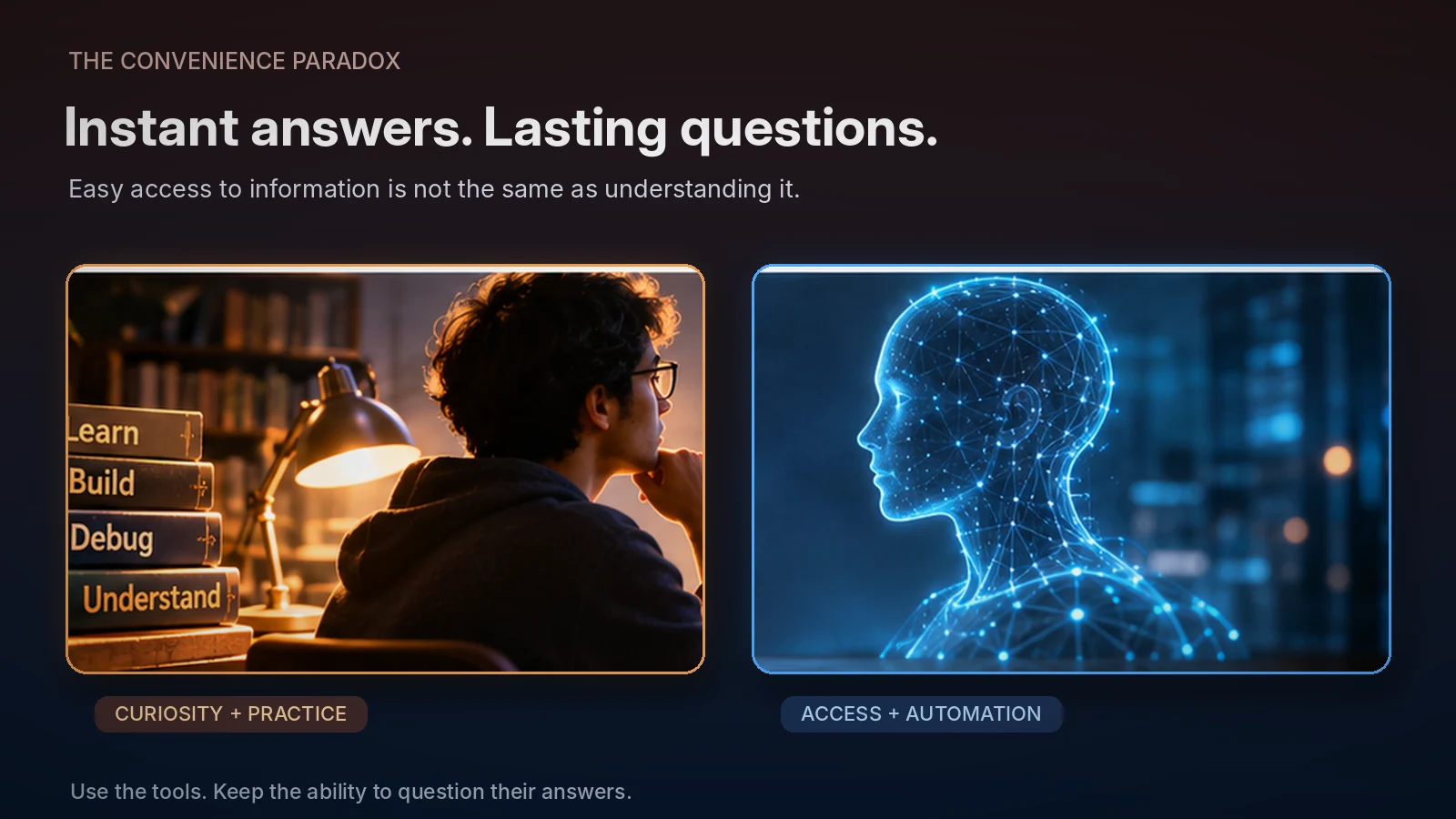
Access is not understanding. Output is not achievement. And unlimited possibility is not the same thing as purpose.
6. The Science of Letting Tools Think for Us
Psychologists have studied an important part of this phenomenon under the name cognitive offloading.
In a 2016 review, researchers Evan F. Risko and Sam J. Gilbert described how people use actions and external resources to reduce the cognitive demands of tasks.
Writing something down rather than remembering it is one example.
Using a reminder application is another.
Cognitive offloading is not inherently harmful. It can be an intelligent use of available resources.
In fact, civilization depends on our ability to preserve knowledge outside individual minds.
But our choices about what to delegate affect how we engage with a task.
In 2025, researchers from Microsoft Research and collaborating institutions published a study involving 319 knowledge workers and 936 examples of generative AI use.
They found that greater confidence in AI was associated with less reported engagement in critical thinking, while greater confidence in one’s own ability was associated with more.
They also observed that AI-assisted work could shift cognitive effort away from producing material and toward verifying, integrating, and overseeing outputs.
This was a self-report study. It did not establish that AI causes permanent cognitive decline.
Nevertheless, it raises a valuable question:
If the machine performs the work, and the human becomes responsible for checking it, how does the human develop the expertise needed to perform that check?
There is an older parallel.
In 1983, researcher Lisanne Bainbridge published Ironies of Automation, examining how automation can leave human operators responsible for difficult situations while changing their involvement in ordinary operations.
The context was industrial automation, not AI-generated code.
But the underlying concern remains relevant.
When routine tasks are automated, people may still be expected to intervene when something unusual happens.
And unusual situations are often precisely the ones that demand experience.
The more we delegate execution, the more important it becomes to preserve the ability to reason about failure.
7. Fast Is Not Always Productive
There is another interesting problem with automation.
It can make us feel productive even when the total amount of useful work has not increased.
Generating code is visible.
Understanding its implications is less visible.
Typing a prompt and watching hundreds of lines appear creates an immediate sense of progress.
But those lines may still need to be reviewed, tested, integrated, documented, and maintained.
A 2025 randomized study by METR examined experienced open-source developers working on familiar codebases.
In that specific setting, developers using early-2025 AI tools took approximately 19% longer to complete tasks than when working without those tools.
Interestingly, they believed AI had made them faster.
This result should not be generalized to every developer, task, or AI system.
METR’s subsequent research, reported in February 2026, suggested that newer tools might provide greater benefits, while also identifying methodological limitations that prevented a reliable estimate of the new productivity effect.
The important lesson is not that AI makes developers slower.
It is that the feeling of moving faster and the measurement of actual productivity are different things.
We encountered a related issue during the RAD era.
A form that appeared complete was not necessarily a finished application.
A generated API is not necessarily a reliable service.
And an impressive demonstration is not necessarily a maintainable system.
We should measure what matters.
Not the number of lines generated.
Not the number of prompts completed.
Not even how quickly a prototype appears.
But whether the software solves the problem, works correctly, and remains useful over time.
8. What Younger Developers Should Know
If you are a young developer entering the profession in the AI era, I would not advise you to avoid AI.
Quite the opposite.
Use it.
Explore it.
Build things that would have been difficult or impractical to build alone.
You have access to remarkable capabilities.
But do not confuse having access to a capability with possessing the understanding behind it.
There is a difference between asking AI to write a sorting algorithm and being able to explain why that algorithm works.
There is a difference between generating a database transaction and understanding isolation levels.
There is a difference between having AI create a multithreaded C++ program and understanding the memory and synchronization guarantees on which it depends.
You do not need to reinvent every tool or learn every implementation detail.
No generation of developers has done that.
But you should develop enough independent understanding to recognize when the tools are wrong.
Here are five habits I consider worth keeping:
1. Try to understand the problem before asking for the solution.
Even a few minutes of independent reasoning can clarify what you actually need. Sometimes write down your assumptions before prompting.
2. Ask AI to explain its decisions, not merely produce results.
Why use this architecture? What alternatives exist? What are the failure modes? What assumptions would invalidate the solution?
3. Occasionally solve a meaningful problem without assistance.
Not because doing everything manually is morally superior, but because practice develops the mental models that make advanced tools more useful.
4. Test the parts you do not understand.
An unfamiliar library, concurrency mechanism, or security assumption is an opportunity to investigate. Generated tests are useful, but their coverage and assertions also need evaluation.
5. Keep something that is genuinely yours in the process.
A design decision. An experiment. A hypothesis. A difficult bug you investigated. A system you can explain from first principles.
Use automation to expand your ability, not to surrender your curiosity.
And for experienced developers, the lesson goes both ways.
Experience is valuable, but familiarity with older tools is not a substitute for understanding newer ones.
We should neither worship the past nor dismiss the present.
There is a great deal to learn from both.
9. The Real Difference Between 1995 and 2026
Visual Basic and Delphi helped developers work at a higher level of abstraction.
AI is taking that process further by allowing natural-language descriptions to influence implementation, architecture, and development workflows.
Both approaches reduce friction.
But AI introduces new questions about the reliability of generated decisions, the limits of automated verification, and the relationship between a developer’s intentions and the resulting system.
The distinction matters.
A RAD form designer does not independently invent a database schema because it interprets a broad description of your business.
An AI system may attempt exactly that.
The opportunity is greater.
So is the need to distinguish plausible output from justified engineering decisions.
I am excited by this development.
I would rather spend less time writing repetitive plumbing code and more time understanding difficult problems.
I would rather use a powerful assistant than pretend every line needs to be typed manually.
But there is one thing I do not want us to lose.
The curiosity that makes us ask why something works.
The patience to investigate when it does not.
And the satisfaction of understanding something that previously seemed impossible.
Those experiences are not merely obstacles on the road to a finished product.
They are part of how we become better engineers.
10. The Movie Has a Different Ending — If We Choose One
In the early 1990s, software development began becoming accessible to people who might never have considered writing a traditional Windows application.
Visual Basic helped make that possible.
Delphi demonstrated how productive visual development could coexist with powerful native-code programming.
Later generations introduced web frameworks, managed runtimes, cloud services, open-source ecosystems, and countless other abstractions.
Now AI is reshaping the development process again.
Each generation inherits tools that make yesterday’s difficult work easier.
That is progress.
But progress in our tools does not automatically guarantee progress in our understanding.
And perhaps the most interesting question of the AI era is not:
How much can we make machines do for us?
It is:
What will we still choose to learn, understand, and create ourselves when we no longer have to?
Because I do not believe the ultimate goal of technology is to remove human participation from everything.
It is to give human intelligence more room to explore, question, imagine, and accomplish meaningful things.
If automation removes tedious work and allows us to investigate deeper problems, we gain something extraordinary.
If it removes the motivation to understand anything at all, we may discover that convenience has a cost we did not expect.
I have seen the promise of effortless software development before.
This time, the tools really are different.
But the responsibility remains familiar.
The most important skill of the AI era may not be knowing how to make a machine write code.
It may be knowing when to stop asking the machine — and start thinking for ourselves.
References and Further Reading
Microsoft (1991). The History of Microsoft — 1991. Official historical record of the May 20 Visual Basic for Windows announcement. Microsoft Learn
Microsoft (1998). Microsoft Introduces Visual Basic 6.0. Official announcement, June 15, 1998. Microsoft News
Embarcadero. Delphi Innovation Timeline. Historical details of Delphi 1 (1995) and Delphi 2 (1996). Delphi History
Risko, E. F., & Gilbert, S. J. (2016). Cognitive Offloading. Trends in Cognitive Sciences, 20(9), 676–688. DOI: 10.1016/j.tics.2016.07.002
Bainbridge, L. (1983). Ironies of Automation. Automatica, 19(6), 775–779. DOI: 10.1016/0005-1098(83)90046-8
Lee, H.-P., et al. (2025). The Impact of Generative AI on Critical Thinking. Proceedings of CHI 2025. DOI: 10.1145/3706598.3713778
Becker, J., Rush, N., Barnes, B., & Rein, D. (2025). Measuring the Impact of Early-2025 AI on Experienced Open-Source Developer Productivity. METR. Research Report
METR (2026). We Are Changing Our Developer Productivity Experiment Design. February 24, 2026. Research Update