Eleven Cats, One Orange Pi (1/4)
A catio in Fethiye, eleven residents with strong opinions, and a computer the size of a pack of chewing gum. Part 1: the squad, the board, and the rule that a feature only exists once it has been measured.
Eleven Cats, One Smart Camera · Part 1 of 4 · The squad
A camera project usually starts with a specification sheet. Mine starts with eleven cats.
In Fethiye, on Türkiye’s Mediterranean coast, there is a catio I want to watch from wherever I happen to be. A catio is a protected outdoor enclosure: fresh air, things to climb, no way to turn an open door into an escape experiment. Mine has eleven residents, each with the confidence of a system administrator and the respect for configuration files of a very small tornado.
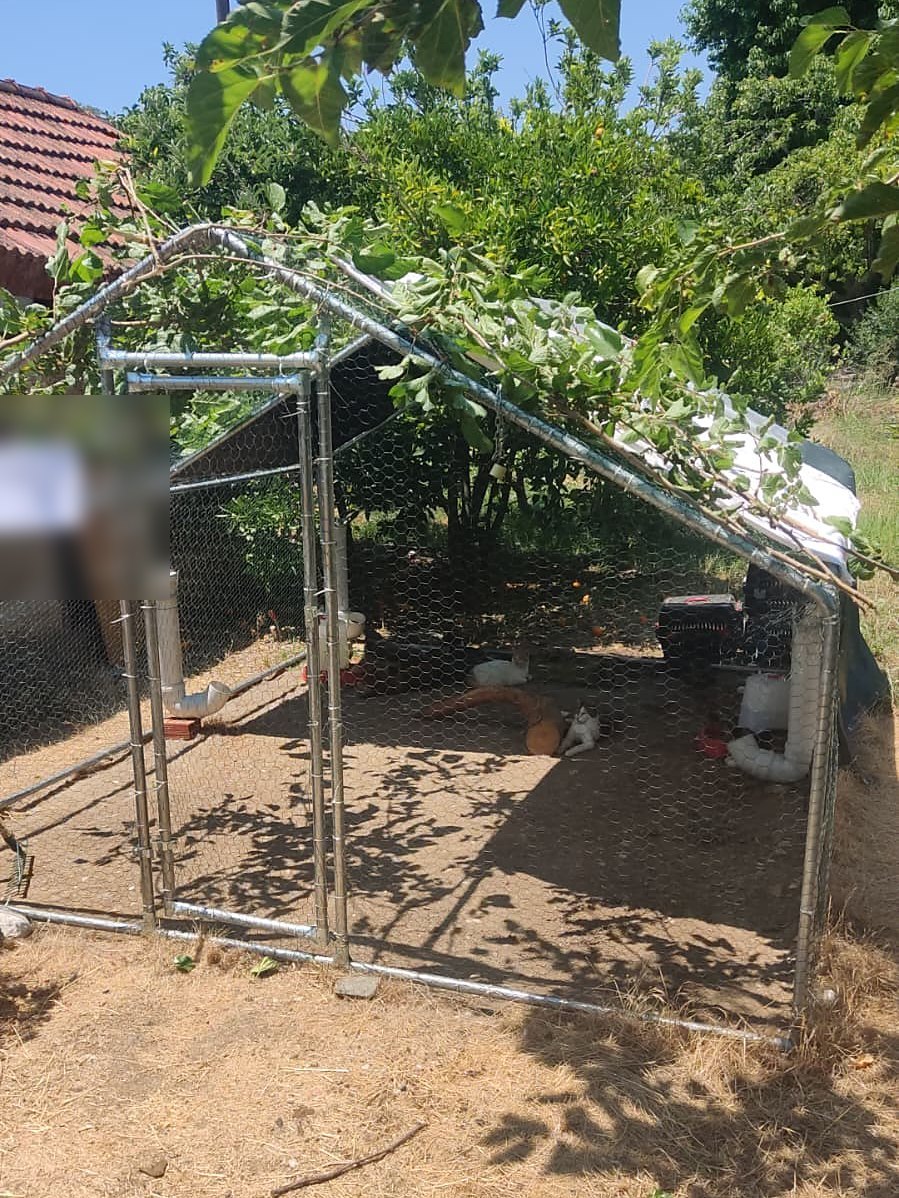
The catio, June 2026. One tree, eleven residents, zero escape routes.
Eleven is a suspicious number. It is exactly one football team, and once you notice that you cannot un-notice it. So this series is organised like a season. Part 1 is the squad and the kit. Part 2 is the pitch: a mobile network with a public address sitting on it. Part 3 is VAR, a model that reviews the footage but is not allowed to make the final decision. Part 4 is the long season, the part where things break while I am on another continent.
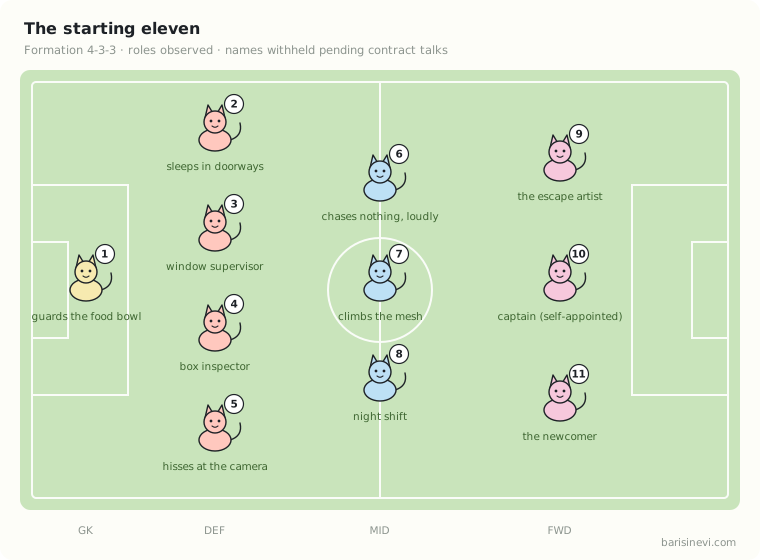
The technical goal sounds simple: open a browser from anywhere, see what the cats are doing, and eventually let the system tell routine from “worth a look”. The engineering reality is more fun. Video compression, a camera interface, a cellular modem, machine-learning inference, thermal behaviour and network security all have to cooperate on a computer small enough to disappear into an enclosure.
One rule before anything else. This series is the design, written down before the solder cools. I will come back with photographs and numbers, including the embarrassing ones. A design that cannot be embarrassed by a measurement is not a design; it is a mood board.
The camera is part of the system, not the whole system
A conventional network camera sends pictures. I want a small computer that makes decisions at the edge: capture the frame, compress it with hardware, send live video only when someone asks for it, and look at a few frames per second locally to decide whether anything is happening.
That separation matters. Streaming everything across a cellular link, all day, is a way to pay for mobile data in exchange for footage of a sleeping cat. Running a vision model on every frame is the same mistake with electricity. A cat under a shelf for three hours does not need a high-frequency inference pipeline to confirm that it remains committed to sleeping.
So the system has four jobs:
- Observe: produce a clear image across Fethiye daylight, shade and night.
- Encode: let the hardware video engine do the compression, not the CPU.
- Connect: expose a small, authenticated WebRTC endpoint over the cellular link.
- Understand: run a lightweight detector locally, and later recognition and behaviour hints.
The word later is deliberate. Detecting a cat is achievable today. Knowing which of eleven cats, from a shaded corner, at dusk, is a different sport. Part 3 is about not confusing the two.
A board with an ambitious résumé
The board is the Orange Pi Zero 3W, not the older Zero 3 or Zero 2W, which share most of the name and none of the silicon. The Zero 3W is built around the Allwinner A733: two Cortex-A76 cores at up to 2.0 GHz, six Cortex-A55 cores, a tiny RISC-V real-time core, an NPU advertised at 3 TOPS, LPDDR5 memory, and two four-lane MIPI CSI camera connectors, all on a 65 × 32 mm board that costs less than a decent cat tree. [1][2]
The line that made me look twice is the video engine: hardware H.265 and H.264 encoding at up to 4K/30 fps. [1] A camera that encodes in hardware stays cool, sips power and leaves the CPU free for everything else. The Raspberry Pi 5, lovely as it is, encodes video with its CPU cores, because the hardware encoder did not make it onto the chip. [3] On a cellular and thermal budget, that is the wrong trade.
Now the cold shower. A datasheet listing an accelerator is not the same as a kernel driver exposing it. When CNX Software covered this board’s launch in April 2026, every OS image link on the product page pointed at an empty Google Drive folder. [1] A board without an image is a very small, very fast paperweight. So the first milestone of the whole project is boring on purpose: boot a vendor image, find /dev/video0, and get one hardware-encoded H.265 stream out of it at a measured bitrate. Nothing goes in the shopping basket until that works. Having an accelerator on the die and having a software path to it are two different facts, and embedded Linux is where people discover the difference.
I will start at 1080p and a frame rate I can measure, not at 4K. At the catio, exposure, framing and a stable uplink matter far more than headline resolution. Nobody has ever needed 4K to learn that a cat is on the wrong shelf.
The Sony sensor is a compatibility decision
The camera will be a Sony image sensor on MIPI CSI. The shortlist is the usual suspects: the IMX219 (8 megapixels, the sensor in the Raspberry Pi Camera v2, with a driver in every Linux tree on Earth), the IMX477 (12 megapixels, the “HQ camera” sensor, with interchangeable lenses) and the IMX708 (12 megapixels, autofocus, the Camera Module 3). I have not picked one, and that is deliberate. Resolution tells you nothing about whether a sensor will work on this board.
What has to line up: the connector and its pinout, the number of CSI lanes, power rails, the sensor clock, the I²C control channel, a device-tree entry, a kernel driver, and an image signal processor pipeline that turns raw Bayer data into something a human would call a picture. A module sold as “Raspberry Pi compatible” is compatible with a Raspberry Pi. The Zero 3W will have an opinion of its own.
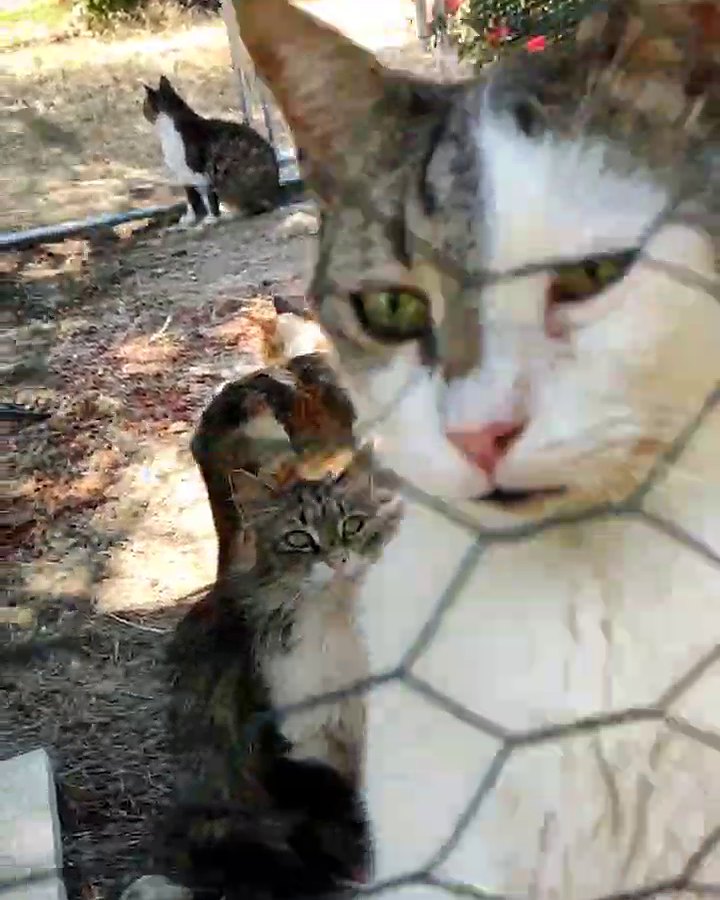
The window supervisor, inspecting the lens. This is the scene the sensor has to handle: harsh sun, deep shade, and wire mesh in front of everything.
Then there is light. Fethiye sunshine is generous; shaded catio corners and evenings are not. I want exposure and low-light behaviour chosen from the real scene, not from a marketing photo of a sunlit kitten. If night viewing needs illumination, it will be 850 nm infrared with the IR-cut filter removed, not a floodlight that turns the catio into a stadium at three in the morning.
Two pipelines from one camera
The live-video path and the machine-learning path want different things from the same sensor, so they get different pipelines.
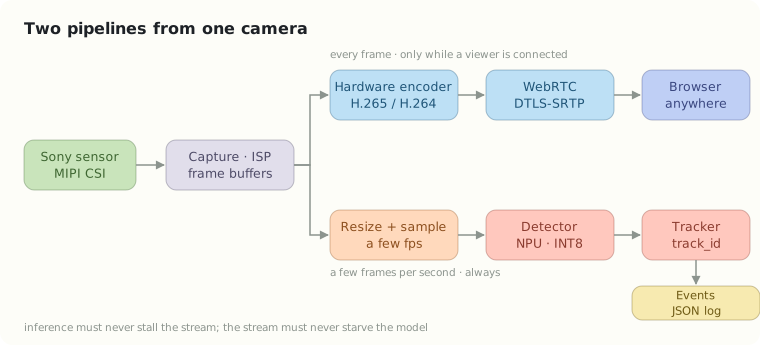
The video path wants every frame, encoded fast and sent only while a viewer is connected. The analysis path wants a few frames per second, downscaled, pushed through a detector and a tracker, and turned into small timestamped events. The principle that holds the two together: inference must never stall the live stream, and streaming must never starve the model. How the frame buffers are shared between the ISP, the encoder and the NPU depends on vendor drivers, and that is a benchmark result, not a diagram. The zero-copy arrows above are an aspiration until measured.
The NPU is useful only if the model actually compiles for it, with its operators, memory layout and precision supported. That is a Part 3 conversation. The Part 1 version is one sentence: I will start with a small detector and measure accuracy, latency, power and temperature before anyone says the word “bigger”.
Fethiye is a thermal and reliability test
A tiny board in an enclosure is not a desktop PC. Mediterranean heat, humidity, condensation, dust and insects can turn a neat electronics box into a maintenance problem by August. The housing has to keep rain out without keeping hot air in; the cables need strain relief; the power supply has to be measured, not assumed; and the whole thing needs a watchdog and a recovery policy for the day the network goes away.
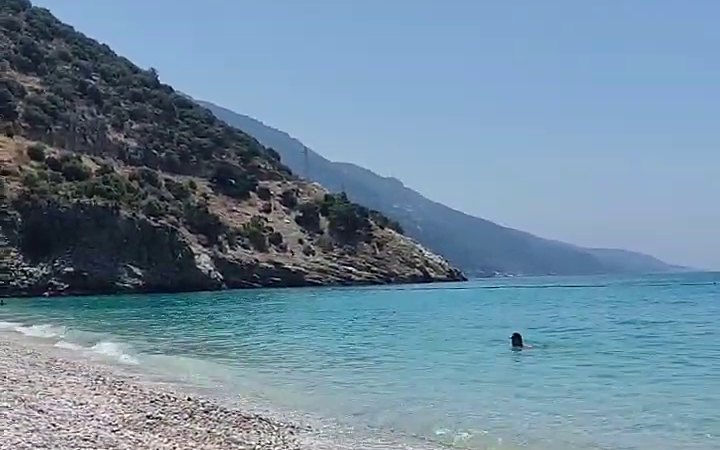
Fethiye in June. The sea is the reason to be here; the heat is the reason the box needs a fan.
The catio must remain safe with the computer completely offline, and the computer must not add any accessible wiring, sharp edges or anything a curious animal could get into. The cats did not sign up for this project. The least I can do is make sure the hardware stays on its side of the mesh.
The less glamorous question is the one that keeps embedded systems honest: how do I know it has silently stopped working? That gets its own article, Part 4.
The season ahead
Part 2 is the surprising constraint: the cellular modem at the catio will carry a carrier-assigned static public IP. The address lives on the SIM, at the enclosure, on the embedded system’s own link. No cloud instance pretends to be the camera. That decision removes a famous problem and creates a few new ones.
Part 3 is VAR: detecting and tracking eleven animals without overselling what a model understands.
Part 4 is the long season: security, power, reconnects, and what “working” means when nobody is there to reboot it.
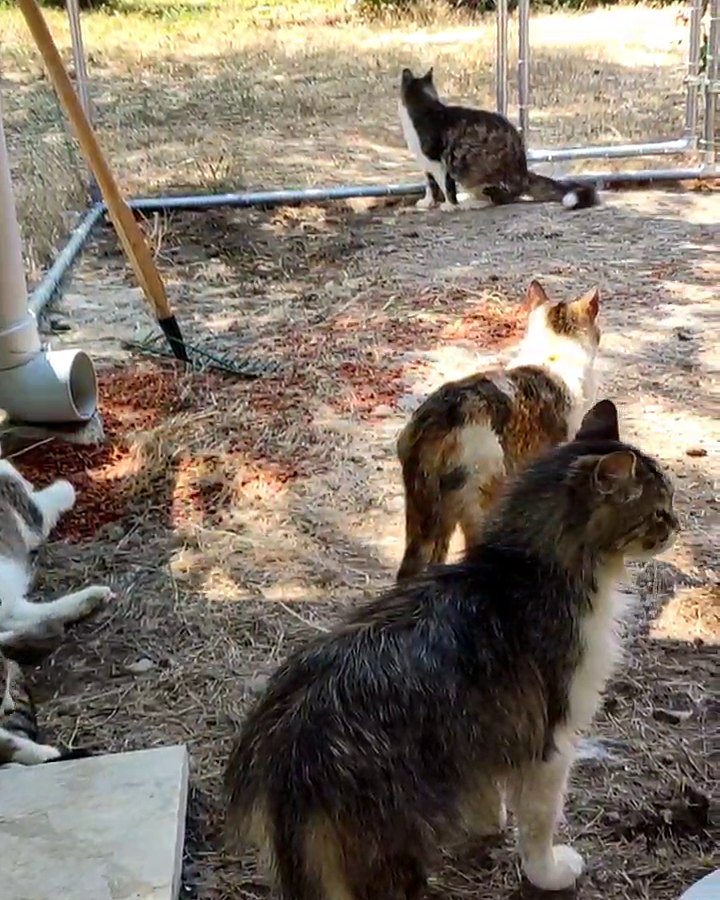
Part of the squad at afternoon training. Nobody is marking anybody.
The ambition is not to build a miniature surveillance company for eleven cats. It is to build one small, well-engineered system that gives me a window into their day, and produces fewer false alarms than the cats themselves.
References
[1] CNX Software, Orange Pi Zero 3W: an Allwinner A733 SBC in Raspberry Pi Zero form factor (15 April 2026) — specifications, pricing, and the note that OS image links were empty at launch.
[2] Orange Pi, Orange Pi Zero 3W official product page.
[3] Raspberry Pi Ltd, H.264 encoding performance on Raspberry Pi 5-series computers (white paper, April 2026) — “Raspberry Pi 5 does not feature a hardware H.264 encoder, relying instead on the libx264 software encoder.”